AI 生成组件系统
🚧
WIP (正在完善中)
概述
我们的组件库已深度集成 shadcn/ui 生态,为 AI 驱动的开发提供了强大支持。无论您使用 Claude、Cursor 还是其他 AI 编程助手,都能轻松生成符合我们设计规范的组件。
🎯 核心特性
✨ AI 友好的组件架构
- 标准化接口: 所有组件遵循 shadcn/ui 标准,AI 工具可以轻松理解和生成
- TypeScript 优先: 完整的类型定义,提供精确的 AI 代码提示
- 组合式设计: 支持 AI 生成复杂的组件组合
AI 使用案例
- 提示词生成高级组件。
提示词
 结果
结果
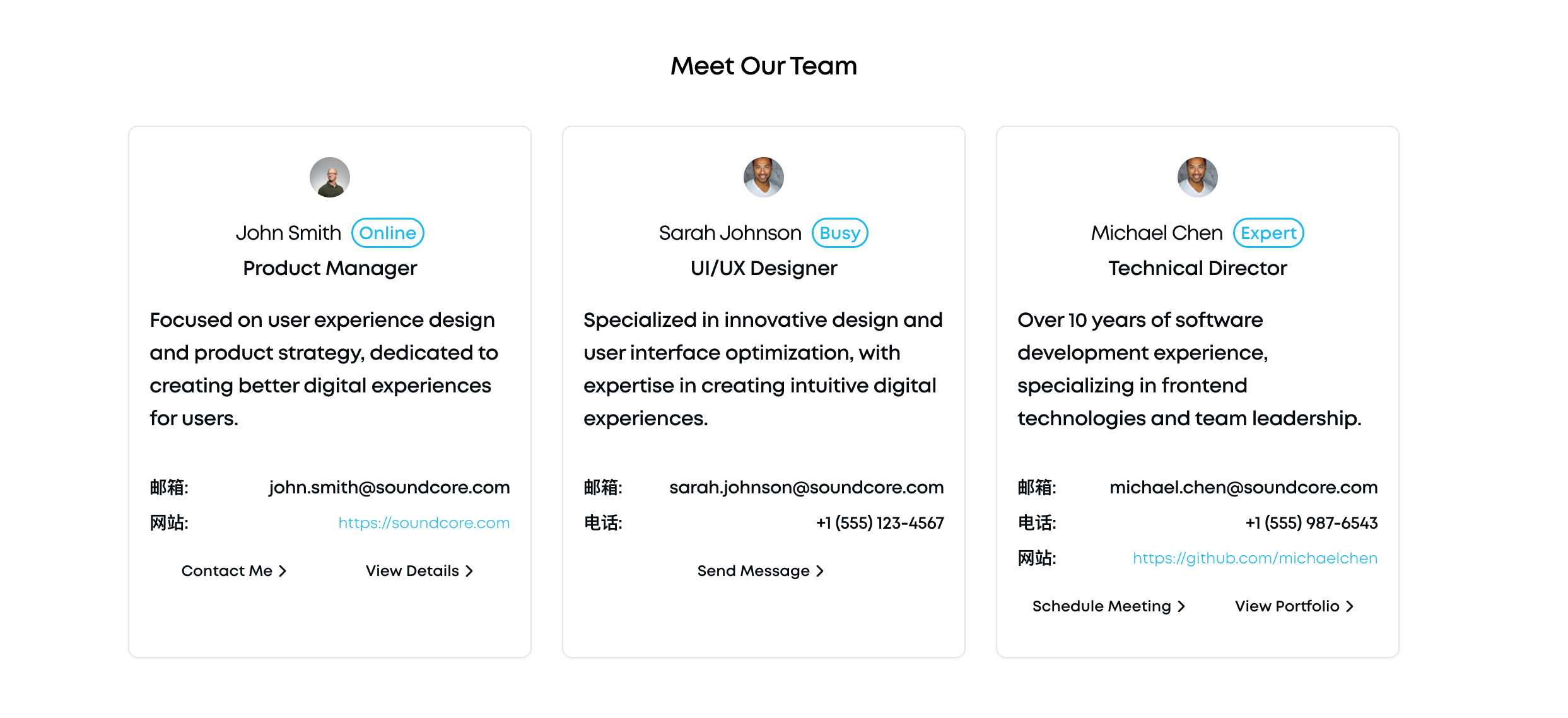
-
询问AI 组件用法
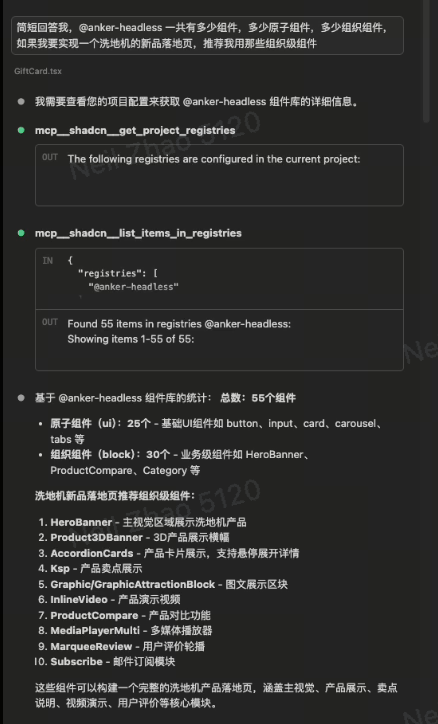
-
重构与组件替换
在维护和迭代现有项目时,一个常见的任务是技术栈升级或 UI 统一。一个团队决定将项目中所有旧的、非标准的按钮组件统一替换为 @headless-ui 的Button,手动执行此操作既耗时又容易出错 借助 MCP 服务器,开发者可以指令 AI:
“Find all instances of the old “ component in the project and replace them with the @headless-ui
Buttoncomponent. Ensure thevariantprop is defined in the @headless-ui button component”
就可以让ai 完成批量替换动作
🔧 开发者体验
- 即插即用: 生成的组件无需额外配置即可使用
- 智能提示: AI 工具可以基于我们的类型定义提供准确建议
- 自动化测试: 支持 AI 生成测试用例
🔧 AI 工具配置
VS Code + Cursor
在您的 .vscode/settings.json 中添加:
{
  "typescript.preferences.includePackageJsonAutoImports": "on",
  "typescript.suggest.autoImports": true,
  "typescript.suggest.paths": true,
  "cursor.cpp.autocomplete.enable": true,
  "cursor.general.enableCopilot": true
}
Claude提示
You are an expert React/TypeScript developer working with the Anker Headless UI component library.

Key constraints:
- Always use TypeScript with proper type definitions
- Import components from '@anker-in/headless-ui' for atoms or '@anker-in/headless-ui/biz' for business components
- Use Tailwind CSS for styling with our custom breakpoints: tablet(768px), laptop(1025px), desktop(1440px)
- Ensure accessibility with proper ARIA labels and keyboard navigation
- Follow React 18+ patterns and hooks
- Components should be responsive and mobile-first

Available components include: Button, Text, Card, Input, Heading, Picture, Container, Grid, and 50+ business components like HeroBanner, ProductCard, etc.
shadcn Registry MCP 配置
为了让 AI 工具能够更好地理解和使用 shadcn/ui 生态系统,建议配置 shadcn MCP (Model Context Protocol):
{
  "mcpServers": {
    "shadcn": {
      "command": "npx",
      "args": ["@shadcn/mcp-server"],
      "env": {
        "SHADCN_REGISTRY_URL": "https://ui.shadcn.com/registry"
      }
    }
  }
}
配置完成后,AI 工具将能够:
- 自动获取 shadcn/ui 组件信息
- 提供准确的组件 API 建议
- 生成符合 shadcn/ui 规范的代码
- 支持组件变体和样式配置
使用 Claude Code 时,MCP 服务器会自动提供组件库的最新信息和使用示例。
🎉
未完待续
Last updated on